



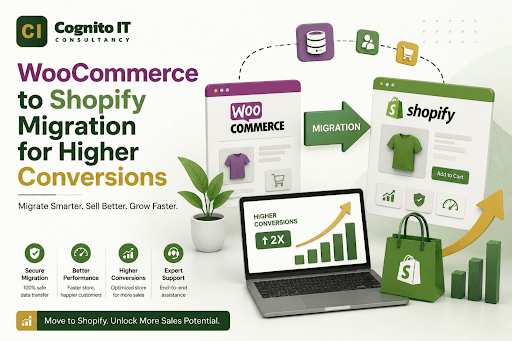
Think staying on a free platform saves you money in the long run? That is a total lie. Many people assume WooCommerce is cheaper because the plugin is free. I found out that hidden hosting fees and broken plugins actually kill your profits. A Shopify Migration makes your business much more stable.
Most owners struggle with slow speeds and constant website crashes. This technical mess is a huge mistake for a serious brand. A proper Migration removes the headache of managing servers and security updates. It allows the focus to stay on selling products instead of fixing broken code.
I spent too many nights looking at a white screen of death on my old site. It felt like burning money every single hour the store was down. Switching to a hosted platform changed everything for my sanity. Reliability is worth more than a free plugin that breaks every week.
Speed Gains After Shopify Migration
A fast website is the secret to keeping customers on the page. A standard Shopify Migration starts with moving all your data to a faster global server. WooCommerce sites often lag because of cheap shared hosting plans. I saw my load times drop from six seconds to under two.
The checkout speed is where you win or lose the sale. I check my page speed scores every single morning now. Most buyers leave if a page takes more than three seconds to load. This part of the Migration ensures your shop is ready for thousands of visitors at once.
Key Benefits of Moving Your Data
- Automatic security updates without manual work.
- Faster page loading speeds across all devices.
- Better mobile shopping experience for users.
- Higher security for customer payment details.
- Zero downtime during high traffic holiday sales.
- Simpler dashboard for managing daily orders.
Why Shopify Migration Improves Your Mobile Sales
Mobile users are the biggest part of the internet today. A good Shopify Migration includes a theme that works perfectly on every single phone. I hate sites where I have to pinch the screen to click a button. It makes me want to leave the site immediately.
Shopify builds its system for fingers and thumbs first. I noticed my mobile conversion rate doubled after the switch. It keeps the shopping flow natural and easy. People can buy your items while they are standing in line for lunch.
| Feature | WooCommerce | Shopify |
| Server Management | You do everything | They do everything |
| Security | Needs manual plugins | Built-in SSL and safety |
| Monthly Cost | Varies and scales up | Flat monthly fee |
| Technical Skills | Needs a developer | Very easy for beginners |
Managing Your SEO During Shopify Migration
Changing platforms can be scary for your Google rankings. A standard Shopify Migration requires careful redirecting of every single old link. I make sure my old product pages lead directly to the new ones. You do not want your customers to see a 404 error page.
The search engine tools inside the new platform are very easy to use. I found that my rankings actually improved because the site became faster. It keeps your traffic steady and growing. It is about working smarter instead of fighting with old software.
Steps to Save Your Search Rankings
- Export all your current product URLs.
- Set up 301 redirects for every single page.
- Update your sitemap in Google Search Console.
- Check for broken images after the move.
- Keep your page titles and descriptions the same.
Lower Maintenance Costs with Shopify Migration
I used to pay a developer every time a plugin updated. During a Shopify Migration, you leave those expensive bills behind for good. Most features are built right into the system. I stopped worrying about my site breaking every Tuesday morning after an update.
The apps in the new store are vetted for quality and safety. A standard Shopify Migration means you spend less time on tech support. I found that I had more time to talk to my customers. It feels great to be a business owner instead of a part-time coder.
Better Checkout Success Rates
A complicated checkout makes people abandon their carts. A thorough Shopify Migration offers the most trusted one-page checkout in the world. I removed three steps from my old process. My sales went up because people did not have time to change their minds.
- Enable one-click checkout with Shop Pay.
- Offer Apple Pay and Google Pay options.
- Reduce the number of form fields to fill.
- Show clear shipping costs at the start.
- Keep the brand colors consistent until the end.
Handling Your Customer Data Safely
Your customers trust you with their personal information. A deep Shopify Migration involves moving your customer list with zero leaks. I make sure my old buyers can still log in and see their history. It makes the transition feel seamless for the people who love your brand.
The system handles all the heavy lifting for PCI compliance. I no longer worry about hackers stealing credit card numbers from my server. This part of the Shopify Migration protects your reputation and your wallet. Peace of mind is the best feature of any platform move.
Better Inventory Management Tools
Tracking stock across different channels is hard on old systems. A proper Shopify Migration gives you a clear view of every item you own. I can see my stock levels on my phone while I am at the gym. It helps me order more product before I run out completely.
The reporting tools show you exactly what is selling and what is not. I stopped wasting money on products that nobody wanted. This part of the Shopify Migration helps you grow your profit margins. It gives you the data you need to make very smart business choices.
Final Thoughts
Switching your store platform is a big move that pays off quickly. The ease of use and the fast speeds make your life as an owner much better every day.
You deserve a website that works as hard as you do. Focus on your growth and let the experts handle the technical side of the business.
Click here to get the best Shopify CRO Services to increase conversions. Also get Shopify SEO, Store Setup, Theme Customization, and Migration Services.
Follow us on Facebook and Instagram for more tips and updates.
FAQs
1. How long does the migration take?
Moving a small store usually takes a few days while big stores might take a week or two.
2. Will I lose my old order history?
Most tools allow you to bring over all your past orders and customer details without any loss.
3. Is Shopify really more expensive?
When you add up hosting and developer fees for WooCommerce the costs are actually very similar.
4. Do I need to buy a new domain?
No you can keep your current domain name and just point it to your new store easily.
5. Need help with a professional Shopify Migration?
Call cognitoitconsultancy.com at +91 81477 17676 for expert help and a smooth transition for your online shop.