



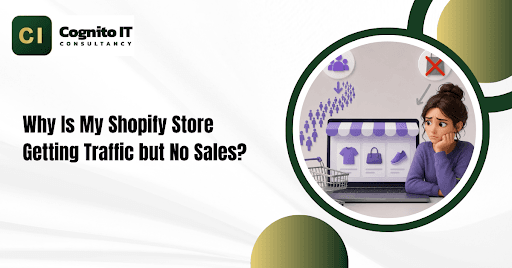
Quick Summary: A Shopify store gets visitors but no sales when people see hidden delivery fees, hard-to-use checkout pages, or products they do not trust. Checking your visitor numbers, making your phone pages load faster, and showing shipping costs early will turn clicks into real buyers.
Running a Shopify store feels very sad when you see people visiting your website every day, but nobody buys anything. You spend hours making cool ads or posting on social media, yet your shopping carts stay empty all the time.
Instead of guessing what is wrong, you need to check your store step by step. Finding where people stop buying will help you fix your Shopify store and start making money.
Where Are People Leaving Your Website?
Before you change your prices or pictures, you need to find out where shoppers stop clicking. Think of your store like a funnel where people enter at the top and buy at the bottom.
| Funnel Stage | What to Check | Common Problem | What to Track |
| Visitors | People coming to your site | Wrong ads are bringing random people | Total Daily Visits |
| Product Page | People clicking on an item | Boring pictures or confusing text | Product Clicks |
| Add to Cart | People clicking the buy button | High prices or unclear details | Cart Adds |
| Checkout | People starting to pay | Surprise delivery fees or slow forms | Started Checkouts |
| Purchase | People finishing payment | Broken payment buttons or errors | Finished Orders |
If nobody clicks add to cart, your product page needs better details. If people start checkout but leave, something is scaring them away at the very last second.
Are Your Ads Bringing the Wrong People?
Getting lots of visitors on your Shopify store does not mean anything if those people just want to look around and never spend money. Cheap clicks from social media often bring window shoppers instead of buyers.
- The Problem: Showing ads to people who only want fun videos means they visit your store but never plan to buy.
- How to Check: Open your website visitor reports and look at where your traffic comes from. Compare social media visitors with people finding you on search engines.
- The Fix: Turn off bad ads. Spend your money on people who are actually searching to buy what you sell.
Does Your Product Page Answer Basic Questions?
Shoppers make up their minds in just a few seconds when they open a product page on a Shopify store. If your titles are confusing or you do not have size charts, people will leave immediately.
- The Problem: Visitors cannot tell how big the item is, what it does, or if it is good quality within five seconds.
- What You Must Show:
- Clear prices with no hidden surprises.
- Big pictures you can zoom in on easily.
- Exact sizes, weights, and materials.
- Real photos and reviews from past buyers.
- How many days’ delivery will take?
- Example: If you sell shirts and forget to put a size guide, people will leave your Shopify store to buy somewhere else.
Are Shipping Fees Showing Up Too Late?
Hiding delivery costs or extra fees until the very last payment screen makes people angry. Buyers hate feeling tricked when extra money gets added to their bill.
- The Problem: Seeing a surprise shipping fee during checkout causes instant distrust and makes people close the tab.
- How to Check: Look at your checkout drop-off page to see how many users quit right when they reach the delivery screen.
- The Fix: Write your delivery costs clearly right on the product page or shopping cart before they reach the payment step.
Is Your Mobile Site Too Slow?
Most people shop using their mobile phones instead of heavy computers. If your pages take too long to open on a phone, your Shopify store will lose sales fast.
- The Problem: Big image files and heavy background apps make phone pages load very slowly.
- How to Test: Open Google PageSpeed Insights and type in your product page link to see how fast it runs on phones.
- The Fix: Shrink your big pictures, delete apps you do not use, and make sure your buy buttons are big enough to tap with a thumb.
Do You Have Good Competition?
If other websites sell the same thing for less money or offer faster shipping, shoppers will compare you and walk away.
- The Problem: Your offer does not stand out enough compared to other stores online.
- What to Check: Look at three other websites selling similar items and check their prices and delivery times.
- The Fix: Add a money-back guarantee or bundle two items together so people feel they are getting a better deal.
Is Your Analytics Setup Broken?
Sometimes, zero sales in your dashboard does not mean zero people bought your items. Broken tracking codes can hide your real orders from view.
- The Problem: Small coding errors stop your store from recording completed purchases properly.
- How to Check: Do a quick test purchase using a test code to see if the order shows up in your Shopify store admin panel.
- The Fix: Check your tracking codes and make sure your thank-you page is working correctly.
Does Your Store Look Safe and Trustworthy?
If a brand looks brand new and has no contact details or security badges, buyers get scared to type their credit card numbers in.
- The Problem: People worry about getting scammed when a website looks fake or messy.
- Trust Elements to Add:
- Safe payment icons like Visa, PayPal, or Apple Pay.
- A real contact page with an email address.
- Clear rules for refunds and returns.
- Real customer comments and pictures.
Simple Checklist to Fix Your Store
- Check Traffic: Make sure real buyers are visiting your site.
- Test Checkout: Do a test order to make sure payments work.
- Speed Up Phones: Make your mobile pages load faster.
- Find Drop-Offs: Look at where people leave your checkout.
- Show Prices Early: Put shipping costs where people can see them right away.
Need Expert Help?
Contact the team at Cognito IT Consultancy or call +91 81477 17676 📞 to talk about your store.
Click here to get the best Shopify CRO Services to increase conversions. Also get Shopify SEO, Store Setup, Theme Customization, and Migration Services.
Follow us on Facebook and Instagram for more tips and updates.
Frequently Asked Questions
1. Why is my Shopify store getting traffic but zero sales?
People leave because of hidden delivery fees, missing trust badges, slow mobile pages, or confusing product text.
2. How do I stop cart abandonment on my Shopify store?
Let people check out quickly without making an account, and show your delivery fees upfront.
3. Why do phone shoppers leave my Shopify store?
Slow loading speeds and tiny buttons make phones hard to use, so buyers leave right away.
4. How do customer reviews help a Shopify store?
Real photo reviews make new visitors trust your products and feel safe buying from you.
5. How can expert optimization support your business?
Call +91 81477 17676 to boost your online revenue, fix checkout errors, and scale your e-commerce business today.