



Quick Summary:
Managing multiple sales channels can be easier. See 5 smart Shopify Omnichannel Integration strategies to connect stores and inventory for better selling.
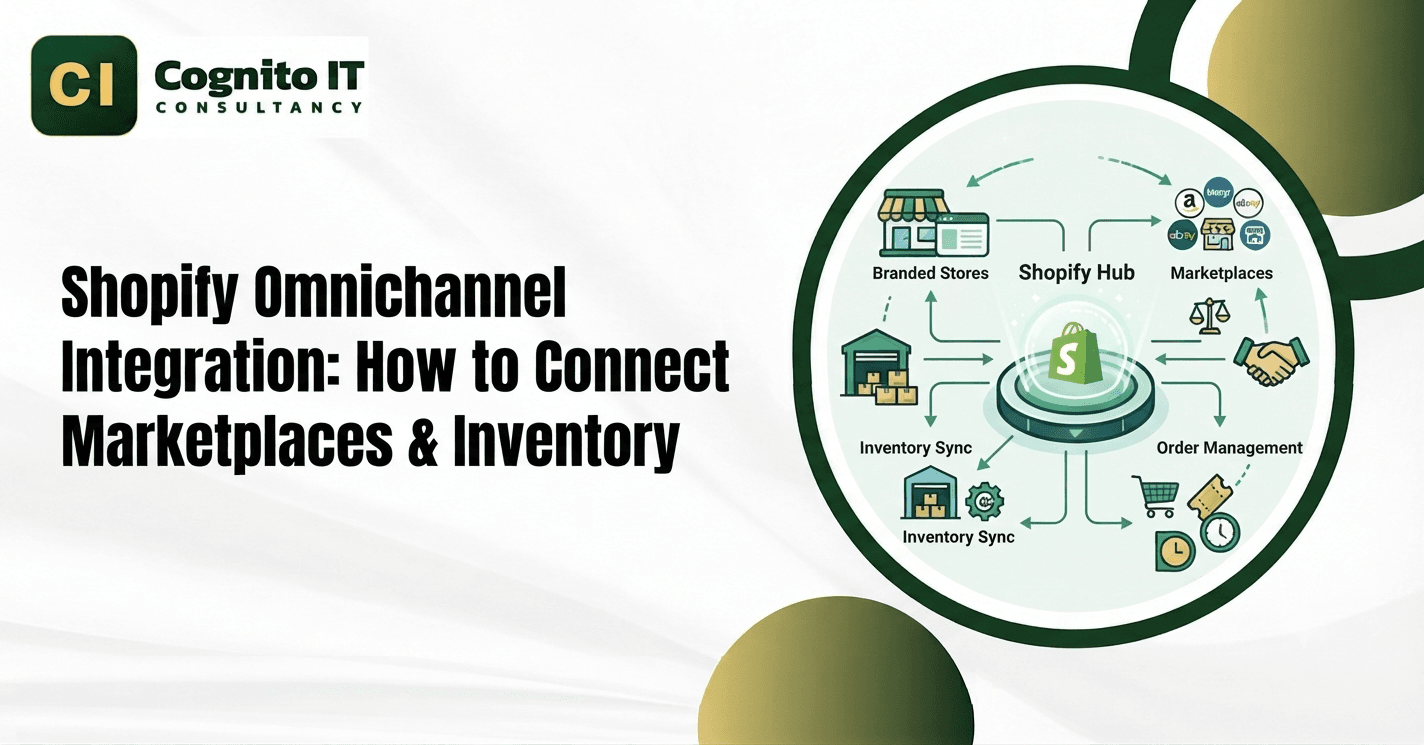
Shopify omnichannel integration links your physical POS, online storefront, and marketplace channels into a simple team workflow. Running separate sales systems without a proper data bridge causes stock mix-ups and upset buyers. Setting up Shopify omnichannel integration lets store teams track physical shelves and web orders through a centralized dashboard.
What Is Shopify Omnichannel Integration and Why Do You Need It?
Shopify omnichannel integration brings all your separate retail sales points into one clean digital dashboard. Online sellers lose money fast when website stock does not match physical store shelves. A properly configured Shopify omnichannel integration helps reduce inventory discrepancies and overselling across connected channels.
How Does Multichannel Differ From Omnichannel Retail Systems?
Knowing how separate sales networks differ from fully connected retail systems stops costly planning mistakes.
| Commerce Type | Operational Setup | Data Synchronization | Customer Experience |
| Multichannel | Selling on multiple portals | Independent or siloed | Split across touchpoints |
| Omnichannel | Connected retail ecosystem | Unified data and stock flows | Connected customer and fulfillment experience |
Multichannel retail lists products on websites, marketplaces, and physical cash registers separately.- Shopify omnichannel integration connects those channels so buyers and store staff can work from synchronized inventory data based on the configured locations.
- Unified shopping lets a buyer start shopping online and finish paying inside a physical store branch easily.
How Does Shopify Omnichannel Integration Sync Physical Stores and Webshops?
Physical cash registers and web browsers must share accurate inventory numbers to stop order fulfillment errors.
Inventory Sync Steps
- Shopify POS records in-store sales and updates relevant store inventory data using Shopify omnichannel integration rules.
- Online store orders adjust stock levels based on active warehouse storage rules.
- Product titles, barcodes, and prices synchronize across connected selling points according to the integration method and sync schedule.
- Sales managers view total revenue across supported retail channels using central dashboard tools powered by Shopify omnichannel integration.
| Channel Type | Typical Synchronized Data | Update Mechanism |
| POS | Orders, inventory, customers | According to retail setup |
| Online store | Products, orders, inventory | Configured inventory rules |
| Marketplaces | Listings, inventory, orders | Depends on connector |
How Do You Map Customer Data Securely Across Sales Channels?
Connecting buyer profiles helps brands track customer history whether people shop on phones or in physical stores.
Customer Data Steps
- Capture buyer email addresses at physical cash registers during checkout with proper privacy notices.
- Match online login accounts with past in-store purchase receipts securely when identifiers permit.
- Store relevant customer information centrally and use it for marketing according to applicable consent rules.
- Track customer support tickets alongside their complete shopping history within access control limits.
How Do Omnichannel Workflows Handle BOPIS, BORIS, and Ship-From-Store?
Advanced retail strategies let shoppers buy, return, and receive products through flexible hybrid fulfillment pathways.
| Fulfillment Workflow | Primary Action | Target Benefit |
| BOPIS | Buy online, pick up in store | Faster local pickup |
| BORIS | Buy online, return in store | Easy physical returns |
| Ship-From-Store | Ship orders from retail stock | Reduced shipping times |
BOPIS workflows allow eligible online orders to be collected from configured retail locations when inventory and pickup settings support the option.- BORIS workflows can allow customers to return eligible online purchases through participating physical locations, depending on the store’s return and POS configuration.
- Retail store locations act as fulfillment centers to ship online web orders directly to nearby buyers.
- Inventory rules can identify replenishment needs, while connected Shopify omnichannel integration workflows create transfer processes between locations.
What Inventory Architecture Manages Stock Availability Across Channels?
Advanced inventory models track stock states to ensure accurate calculations across multiple sales touchpoints.
Stock Levels
- On-hand stock counts total physical items present inside your warehouses and retail stores.
- Committed orders track quantities allocated to pending orders awaiting final shipment.
- Reserved or safety stock units hold back inventory to prevent accidental overselling during traffic spikes.
- Available inventory generally represents stock that can be allocated to new sales after accounting for relevant commitments and Shopify omnichannel integration rules.
What Happens When Two Channels Sell the Last Unit?
Online Order / POS Order / Marketplace Order
↓
Inventory Availability Check
↓
Order Allocation
↓
Inventory Update
↓
POS / Marketplace Sync
↓
Reconciliation
- Simultaneous purchases across channels can trigger stock clashes if sync intervals lag behind real buyer activity.
- Safety stock buffers hold back a small portion of inventory to absorb sudden order spikes.
- Automated reconciliation logs compare location counts and resolve minor mismatches before fulfillment begins.
- Failed synchronization events create exception queues for warehouse staff to review manually.
How Do Integrations Connect ERP, WMS, and Marketplaces?
Enterprise environments rely on specialized middleware layers to exchange data between Shopify and legacy backends.
| Data Element | Shopify | POS | Marketplace | ERP / WMS |
| Product catalog | Source/managed | Used for checkout | Published/mapped | May synchronize |
| Inventory counts | Managed by location | Consumes/updates | Receives available stock | May act as source |
| Orders | Central order records | Creates POS orders | Generates marketplace orders | Receives fulfillment data |
| Customers | Customer records | Captures in-store customers | Platform-dependent | May synchronize |
The Shopify Admin API provides programmatic access to supported store resources, subject to Shopify’s API permissions and scopes.- ERP middleware bridges legacy warehouse systems with modern e-commerce storefront dashboards.
- Automated audits compare marketplace and POS counts against central store ledgers.
- Safety buffers reserve part of available stock to reduce marketplace overselling risks.
How Does Shopify Connect With Amazon, eBay, and Walmart?
Expanding sales across external marketplaces requires proper catalog mapping and inventory governance through Shopify omnichannel integration.
Marketplace Connection Steps
- Each marketplace enforces unique category structures, requiring manual or automated attribute mapping.
- Unique SKU and listing identifiers must align with your Shopify inventory database.
- Inventory rules dictate how much stock is pushed to external channels to protect local retail orders.
- Marketplace order APIs pull sales data back into central dashboards for unified fulfillment.
- Scheduled sync cycles update prices and stock levels across multiple platforms without breaking rate limits.
What Problems Happen Without Proper Omnichannel Integration?
Running separate sales tools without a data bridge creates daily operational headaches and financial losses.
Common Business Errors
- Selling items online that already sold out at the local retail shop causes painful cancellations.
- Typing customer shipping addresses by hand leads to massive delivery delays.
- Missing purchase histories make customer support agents look unprepared and slow.
- Maintaining separate product price lists across channels wastes valuable staff time.
What Factors Determine Omnichannel Software Costs?
Software pricing and engineering fees change based on your business scale, inventory volume, and system complexity.
Cost Factors
- Connecting marketplaces, POS terminals, and web stores increases overall configuration scope.
- Managing distributed inventory across multiple physical sites adds architectural complexity.
- High-frequency transactions demand robust API rate limits and queue management.
- Custom software engineering is required to link Shopify with legacy enterprise backends.
- Maintaining specialized business rules, data cleanup, and system logs incurs ongoing effort.
How Cognito IT Handles Custom Omnichannel Integrations
Cognito IT builds custom synchronization workflows designed to align complex multi-channel retail operations with enterprise software using Shopify omnichannel integration expertise.
Cognito IT Shopify Omnichannel Integration Process
- Architecture Audit: Shopify stores, POS locations, marketplaces, ERP/WMS, and current connectors.
- Data Mapping: SKU, variant, location, inventory, customer, and order mappings.
- Inventory Rules: Location priority, safety stock, allocation, and fulfillment rules.
- API Integration: Shopify APIs, marketplace APIs, ERP/WMS interfaces, and webhooks.
- Error Handling: Retry queues, failed-event logging, and reconciliation.
- Testing: Test simultaneous orders, cancellations, refunds, transfers, and partial fulfillment.
- Production Monitoring: Monitor sync failures, inventory mismatches, and integration health.
Contact the team at Cognito IT Consultancy or call +91 81477 17676 📞 to talk about your store.
Click here to get the best Shopify CRO Services to increase conversions. Also get Shopify SEO, Store Setup, Theme Customization, and Migration Services.
Follow us on Facebook and Instagram for more tips and updates.
Frequently Asked Questions
1. What is Shopify omnichannel integration?
Shopify omnichannel integration connects your physical store, website, and marketplaces into a unified commerce ecosystem.
2. What is the difference between multichannel and omnichannel?
Multichannel lists products across separate portals, while omnichannel unifies data, stock flows, and customer touchpoints into one system.
3. How does Shopify POS sync with online inventory?
Shopify POS records in-store transactions and updates stock counts according to configured retail store locations and rules.
4. Can Shopify connect Amazon, eBay, and Walmart?
Shopify connects to external marketplaces using official sales channels, third-party connectors, or custom API middleware solutions.
5. How does BOPIS work?
BOPIS allows customers to buy items online and pick them up at designated local retail storefronts.
6. Can Shopify support ship-from-store?
Shopify supports ship-from-store workflows by routing web orders to physical retail locations with available inventory.
7. How does inventory sync across multiple locations?
Inventory sync updates stock levels across warehouses and physical stores based on active order routing rules.
8. What happens when two channels sell the last unit?
System allocation checks and safety stock buffers prevent double-selling during concurrent purchases.
9. Can Shopify integrate with ERP/WMS?
Shopify integrates with enterprise resource planning and warehouse management systems using custom API connections and middleware.
10. How are marketplace orders imported?
Marketplace orders import through connected APIs so staff can process them inside the central Shopify dashboard.
11. When is custom middleware required?
Custom middleware is required when managing complex enterprise resource planning rules, custom legacy data, or unique multi-warehouse setups.
12. Why choose Cognito IT for your project?
Cognito IT builds custom Shopify omnichannel integration solutions that connect your stores, marketplaces, and data. 📞 Call Cognito IT today at +91 81477 17676