



Quick Summary:
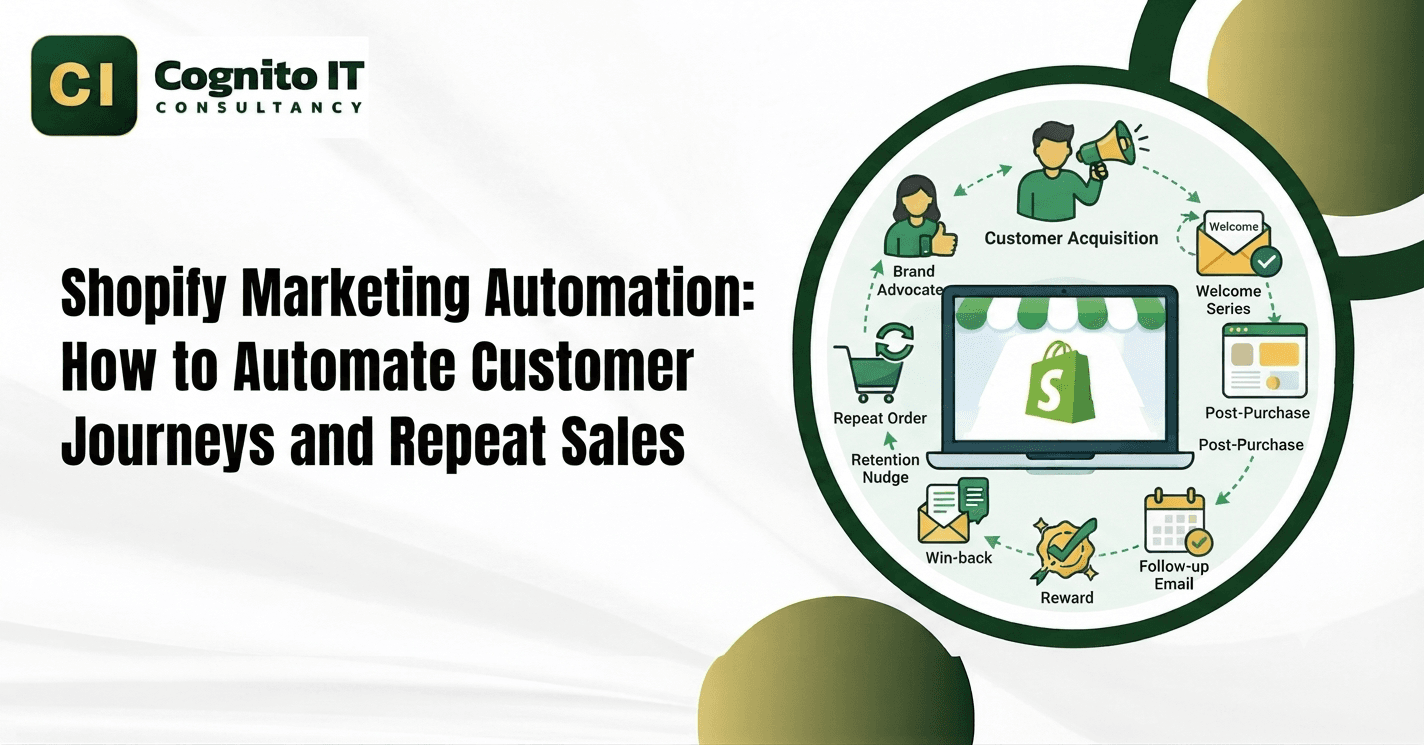
Shopify marketing automation connects store events and customer data with email, SMS, CRM, and other marketing tools. Businesses can automate welcome journeys, abandoned-cart reminders, post-purchase campaigns, replenishment messages, and win-back workflows based on customer actions and purchase history.
Shopify marketing automation uses customer, order, and behavioral data to trigger predefined customer journeys. Instead of manually sending every welcome, abandoned-cart, post-purchase, replenishment, or win-back message, businesses can connect Shopify with email, SMS, CRM, and automation platforms and define rules for when each communication should occur. With proper Shopify marketing automation, stores save hours of manual work every single day.
What Is Shopify Marketing Automation and Why Do You Need It?
Shopify marketing automation links your store database to email and messaging platforms. Store owners miss revenue opportunities when they fail to message shoppers who leave items behind. A solid Shopify marketing automation setup triggers targeted messages based on customer actions, such as product views, cart activity, purchases, or inactivity. Adopting Shopify marketing automation helps teams run online shops without doing repetitive manual typing.
How Does Store Data Connect to Messaging Tools?
Connecting store data to messaging platforms requires a structured technical architecture.
Shopify Store
↓
Customer + Order + Product Events
↓
API / Webhooks
↓
Integration Layer
↓
Segmentation + Business Rules
↓
Email / SMS / CRM
↓
Customer Interaction
↓
Purchase / Repeat Purchase
↓
Analytics & Attribution
- Shopify events, APIs, and connected marketing tools transfer customer data into Shopify marketing automation workflows smoothly.
- Webhooks notify connected systems about supported Shopify events, allowing Shopify marketing automation to process order and customer activity.
- Customer attributes, tags, segments, and purchase data group shoppers according to lifecycle stage and behavior within Shopify marketing automation.
- API links bridge external enterprise resource planning tools with your store setup.
Transactional vs Marketing vs Lifecycle Automation
Clear separation between messaging categories ensures legal compliance and clear communication.
| Automation Type | Primary Purpose | Example Message |
| Transactional | Complete an order or service event | Order confirmation |
| Marketing | Acquire or convert customers | Welcome or abandoned-cart campaign |
| Lifecycle / Retention | Increase engagement and repeat purchases | Replenishment or win-back |
Transactional workflows deliver order confirmations, shipping updates, and service messages associated with customer purchases.- Marketing automation campaigns promote welcome series and abandoned-cart reminders to convert visitors using Shopify marketing automation tools.
- Lifecycle and retention automation send review requests, replenishment messages, and win-back offers to past buyers.
How Do Lead Capture Workflows Turn Visitors Into Buyers?
Turning website visitors into email subscribers requires clear sign-up forms and relevant introductory offers.
Lead Capture Steps
- Signup forms and exit-intent experiences encourage visitors to subscribe before leaving the site.
- Welcome series emails send introductory brand stories straight to new inbox folders via Shopify marketing automation.
- Browse abandonment triggers message shoppers who view products without buying items.
- Cart abandonment triggers timed reminder messages when shoppers add items to their cart but leave without completing checkout.
How Does Customer Segmentation Organize Store Buyers?
Grouping store buyers helps brands send relevant messages based on real shopping behavior and lifecycle stages.
Segment Categories
- New subscribers join email lists without completing any past purchases.
- Cart abandoners add items to shopping carts but leave without buying.
- First-time buyers complete a single transaction inside your online store.
- Repeat customers place multiple orders over their total customer lifecycle using Shopify marketing automation.
- High-value customers generate significant total revenue through frequent orders.
- Customers due for replenishment require restocks based on expected usage periods.
- Inactive buyers have not purchased or engaged with the brand within a defined period.
How Do Retention Workflows Drive Repeat Customer Sales?
Winning back past buyers relies on structured post-purchase follow-up sequences powered by Shopify marketing automation.
Purchase
↓
Expected Usage Period
↓
Replenishment Reminder
↓
Customer Purchases Again
- Review requests ask buyers for product feedback after delivery windows close.
- Cross-sell emails suggest matching accessories shortly after primary product deliveries.
- Replenishment reminders can be scheduled around the expected repurchase interval of a product.
- Retention workflows use post-purchase engagement, replenishment, cross-sell, loyalty, and win-back journeys to encourage repeat purchases.
How Do You Manage Privacy, Consent and Compliance?
Messaging platforms must adhere strictly to data privacy regulations and subscriber permissions.
Compliance Rules
- Businesses should collect and manage marketing consent according to the privacy and electronic-marketing requirements applicable to their customers.
- Every campaign must include working opt-out links that update suppression lists immediately.
- SMS programs managed through Shopify marketing automation require additional consent and clear reply instructions.
- Secure database controls protect customer purchase history and personal details.
What Factors Determine Automation Software Costs?
Software pricing and platform fees change based on operational scale and technical requirements.
- Number of contacts stored in your active subscriber database for Shopify Automated Marketing.
- Monthly email volume limits set by your messaging service provider.
- SMS text message volume and carrier routing fees.
- Number of automation workflows and custom journey branches.
- Number of Shopify stores connected to the messaging platform.
- CRM integration scope and API development complexity.
- Data migration, reporting requirements, and ongoing system maintenance.
Real-World Implementation: Shopify Automation Architecture
A multi-channel online retailer connected Shopify customer data and webhooks through an automation middleware platform to trigger personalized email campaigns based on real-time order events.
- Business Challenge: The brand needed to unify fragmented customer data across Shopify and external messaging apps.
- Integration Architecture: Connected Shopify customer and order webhooks directly to an automation platform via custom API middleware for Shopify Automated Marketing.
- Workflows Implemented: Configured automated welcome series, cart reminders, and post-purchase replenishment sequences.
- Outcomes: Improved lifecycle communication speed and streamlined multi-channel data synchronization.
How Cognito IT Handles Custom Automation Systems
Cognito IT builds custom customer journey workflows designed to align online store data with automated messaging platforms.
Cognito IT Shopify Marketing Automation Process
- Data Audit: Shopify customers, orders, products, and existing marketing tools.
- Event Mapping: Define which customer or order events trigger Shopify Automated Marketing workflows.
- Segmentation: Build lifecycle, purchase, and engagement segments.
- Integration: Connect Shopify with CRM, email, SMS, or ERP systems.
- Workflow Development: Build welcome, cart, post-purchase, replenishment, and win-back journeys.
- Testing: Test triggers, suppression rules, consent handling, and error scenarios.
- Monitoring: Track events, failures, campaign performance, and data synchronization.
Contact the team at Cognito IT Consultancy or call +91 81477 17676 📞 to talk about your store.
Click here to get the best Shopify CRO Services to increase conversions. Also get Shopify SEO, Store Setup, Theme Customization, and Migration Services.
Follow us on Facebook and Instagram for more tips and updates.
Frequently Asked Questions
1. What is Shopify marketing automation?
Shopify marketing automation connects store data and webhooks to trigger targeted email and SMS campaigns based on user behavior.
2. How does Shopify connect with email marketing platforms?
Shopify connects through native apps, webhooks, and APIs to sync customer profiles, product catalogs, and order events for Shopify marketing automation.
3. What is the difference between cart abandonment and browse abandonment?
Cart abandonment happens when shoppers add items to a cart but leave, while browse abandonment occurs when visitors view product pages without adding items.
4. How does post-purchase automation work?
Post-purchase automation triggers thank-you emails, review requests, and cross-sell recommendations after a completed order via Shopify marketing automation.
5. Why choose Cognito IT for your project?
Cognito IT builds custom Shopify marketing automation workflows that connect store data with CRM, email, SMS, and other business systems. 📞 Call Cognito IT today at +91 81477 17676