
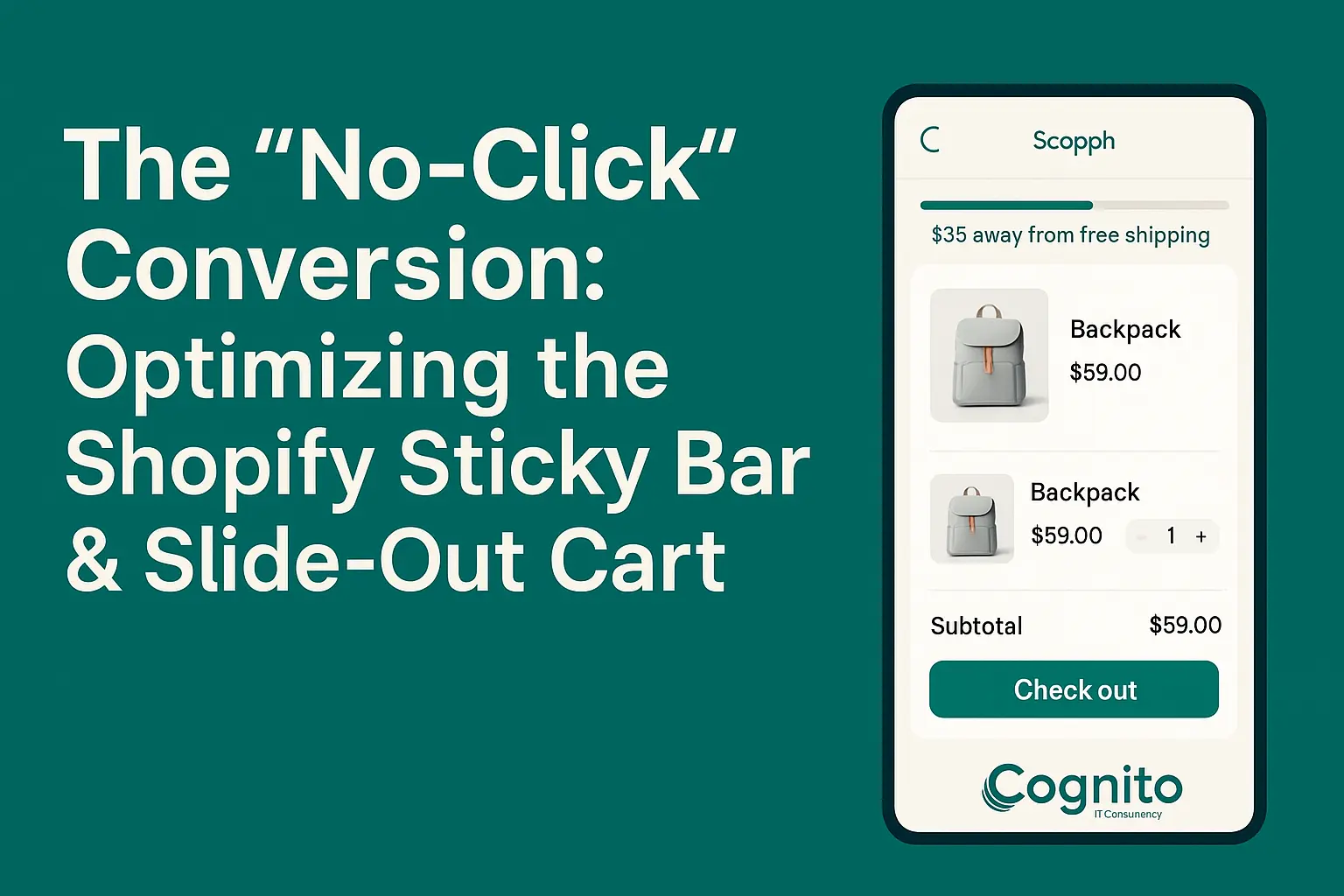
How to Boost Conversions with the Shopify Slide Out Cart
Introduction: Why the Shopify Slide Out Cart Matters in 2025
In today’s fast-paced eCommerce world, milliseconds and micro-interactions define customer experience. The Shopify slide out cart has quietly become one of the most effective on-site tools for driving conversions — by reducing friction, keeping shoppers engaged, and eliminating unnecessary page loads.
Unlike traditional cart pages that redirect users away from the product journey, the slide out cart enables a “no-click” conversion flow. It keeps shoppers in the same view while offering everything they need — from product details to upsells — all within a compact, dynamic panel.
For modern Shopify stores aiming to improve cart-to-checkout conversions, optimizing the Shopify slide out cart is no longer optional. It’s a strategic advantage.
What Is a Shopify Slide Out Cart? (And Why It’s Replacing the Classic Cart Page)
A Shopify slide out cart (also called a drawer or floating cart) appears as a panel that slides from the side of the screen when an item is added. It’s a quick-view cart experience — shoppers can see product details, adjust quantities, and even apply discounts — all without leaving the current page.
This streamlined interaction keeps the customer in the buying mindset, reducing drop-offs that typically occur during page reloads. Studies show that replacing the traditional cart page with a slide out cart can improve checkout rates by 12–20%.
How the Slide Out Cart Impacts Conversion Rate and Checkout Flow
Every extra click adds risk. Shopify’s own data reveals that each additional page in the purchase path reduces conversions by up to 10%.
The slide out cart eliminates this barrier by allowing instant checkout triggers — often using a one-click “Checkout Now” or “Buy It Now” button inside the panel.
By shortening the purchase journey, stores not only improve conversion rates but also increase average order value (AOV) through strategically placed upsells and rewards. This is what makes it a true “no-click” conversion experience.
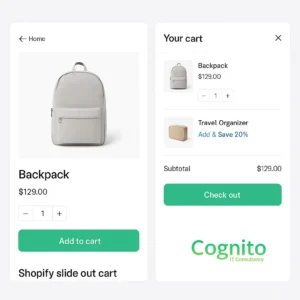
Key Features of a High-Converting Shopify Slide Out Cart
Optimizing your Shopify slide out cart involves more than just enabling a drawer layout. The difference between an average cart and a high-performing one lies in its conversion-centered design.
1. One-Click Upsells & Cross-Sells
Display complementary products or “frequently bought together” bundles directly in the slide out cart. This turns every add-to-cart into an opportunity to increase AOV.
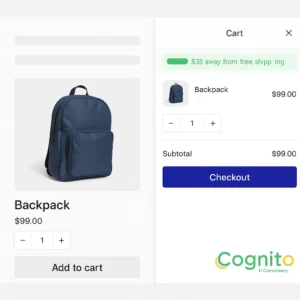
2. Auto-Apply Discounts & Free Shipping Progress Bar
Let customers see progress toward free shipping or auto-applied discounts in real time. It triggers emotional motivation and reduces coupon drop-offs.
3. Trust Badges & Delivery Messaging
Show secure payment icons, return policy notes, or estimated delivery timelines right inside the cart. These trust elements reassure shoppers at the final decision point.
4. Smart Cart Recommendations
Use AI-driven suggestions to dynamically recommend products based on what’s already in the cart. Shopify apps like ReConvert and Cart Upsell AI excel at this.
Sticky Bar + Slide Out Cart: The “No-Click” Purchase Journey
When paired with a sticky add-to-cart bar, the Shopify slide out cart creates a seamless, no-click experience. The sticky bar keeps the CTA (“Add to Cart”) visible as users scroll, while the slide out cart instantly confirms the action and encourages checkout.
This dynamic pairing ensures users never lose context. It eliminates the psychological friction of switching pages and instead anchors attention to conversion actions.
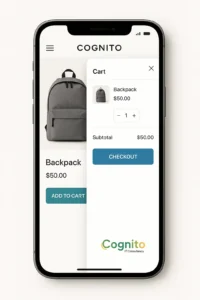
Mobile Commerce: Why Slide Out Carts Work Better on Small Screens
More than 70% of Shopify traffic comes from mobile devices. The traditional cart page is clunky on mobile — slow to load, requiring multiple taps, and often breaking the UX flow.
The Shopify slide out cart, however, offers an intuitive drawer experience. It overlays gently, loads instantly, and allows shoppers to adjust or remove items without waiting for page reloads.
The result? Faster decision-making, lower abandonment, and higher mobile conversions.
Best-Performing Shopify Apps for Slide Out Cart Optimization
If your theme doesn’t natively support advanced slide-out cart features, try these top-rated Shopify apps:
- Slide Cart Drawer by App HQ – Elegant, customizable, and supports upsells + progress bars.
- Monster Cart Upsell Drawer – Focused on increasing AOV with gamified incentives.
- ReConvert Post Purchase Upsell – AI recommendations integrated into cart and checkout flow.
- Sticky Cart by Uplift – Combines sticky bars with a smart slide out cart design.
Each of these integrates easily with Shopify Online Store 2.0 themes and supports analytics tracking for optimization.
Benchmarks & Case Study: Conversion Lift After Enabling Slide Out Cart
An eCommerce fashion brand with a $1M annual GMV integrated a Shopify slide out cart and recorded the following results after 30 days:
| Metric | Before | After | Change |
|---|---|---|---|
| Cart-to-Checkout Rate | 49% | 62% | +13% |
| Checkout Completion | 67% | 74% | +7% |
| Average Order Value | $48 | $57 | +18% |
| Page Load Time | 4.8s | 2.9s | –39% |
This demonstrates how a single UX upgrade can deliver measurable ROI when executed correctly.
Slide Out Cart vs Mini Cart vs Drawer Cart: What’s the Difference?
| Type | Description | Best Use Case |
|---|---|---|
| Slide Out Cart | Full-width side panel with interactive checkout options. | Stores aiming for speed & conversion lift. |
| Mini Cart | Small hover or dropdown cart with limited interactivity. | Ideal for minimalist themes. |
| Drawer Cart | Similar to slide out cart but often theme-limited and less customizable. | For stores using prebuilt layouts. |
Among these, the Shopify slide out cart offers the best balance of speed, customization, and mobile optimization.
How to A/B Test Your Shopify Slide Out Cart for Higher Revenue
Testing your cart experience is critical. Here’s what to measure:
- Click-to-Checkout Rate
- Time Spent in Cart Drawer
- Upsell Click-through Rate
- Cart Abandonment %
Use Google Optimize, Hotjar, or Shopify A/B Testing Apps to compare cart layouts, incentive messages, and upsell placements. Even small layout changes can increase conversion by 3–5%.
Common Mistakes That Kill Slide Out Cart Conversions
❌ Overloading the cart with too many upsells
❌ Hidden checkout buttons on mobile
❌ Poor contrast or unreadable text
❌ Slow drawer animation speeds
❌ Ignoring analytics and event tracking
Each of these can reduce conversions by disrupting the seamless cart flow.
Conclusion: Turning the Cart Into a Conversion Engine
The Shopify slide out cart isn’t just a design upgrade — it’s a conversion engine. When built strategically, it reduces friction, speeds up checkout, and boosts AOV.
In 2025, where attention spans are shrinking, your cart should be more than a summary — it should be an interactive sales layer that encourages completion, not hesitation.
CTA: Optimize Your Shopify Slide Out Cart with Cognito IT Consultancy
Want a slide out cart that converts 20% better?
🌐 Book a free Shopify audit with Cognito IT Consultancy and see how your cart experience can become your strongest conversion tool.
📧 Book a Strategy Call: sandy@cognitoitconsultancy.com
👉 Meet Now: https://cal.com/cognitoitconsultancy/30min
🔗 Shopify Experts: Click Here
Follow Us for More Insights on D2C and Digital Transformation
Stay ahead of the curve in e-commerce, digital strategy, and IT consulting by connecting with us on our social platforms:


