
Shopify Performance Beyond Speed: Latency, APIs & UX
Shopify performance beyond speed focuses on latency, APIs, and JavaScript execution that shape real user experience and conversions.
Most Shopify performance conversations stop at page speed. That’s a mistake. Shopify performance beyond speed, focusing on how fast your store feels, not just how quickly it loads. This includes server latency, API behavior, JavaScript execution, and real user experience across devices.
Speed scores may look good.
Conversions may still suffer.
Let’s break down what actually matters.
Why Shopify Performance Beyond Speed Matters
A page can load in under two seconds and still feel slow.
Why?
Because performance is not only about render time. It’s about:
- How quickly data is returned
- How efficiently do scripts execute
- How smoothly users interact with the page
This is why Shopify performance beyond speed has become a core CRO lever for high-revenue stores.
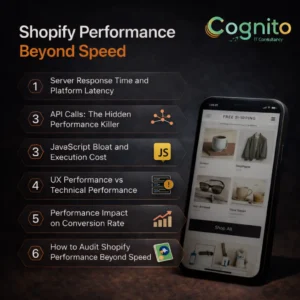
1. Server Response Time and Platform Latency
Shopify handles hosting well.
However, latency still exists at multiple layers.
Where latency usually comes from
- App-driven server calls
- External scripts are blocking execution
- Overloaded Liquid Logic
- Geographically distant users
Even small delays add up.
What to optimize
- Reduce app-based server dependencies
- Move logic from Liquid to cached data
- Use CDN-friendly assets wherever possible
Lower latency improves time to interaction, not just load time.
2. API Calls: The Hidden Performance Killer
API calls are invisible to most merchants.
Yet, they are one of the biggest reasons stores feel sluggish.
Common API issues
- Too many storefront API requests
- Synchronous calls blocking UI
- Repeated calls for the same data
- Apps fetching data on every page view
This directly impacts Shopify performance beyond speed, especially on mobile.
Smarter API handling
- Batch API requests
- Cache responses aggressively
- Defer non-critical API calls
- Remove unused integrations
Fewer calls = faster perceived performance.
3. JavaScript Bloat and Execution Cost
JavaScript is usually the biggest bottleneck.
Not because files are large, but because they execute slowly.
Typical problems
- Multiple tracking scripts
- App scripts loading site-wide
- Unused JS is shipped to every page
- No code splitting
The browser spends time thinking instead of rendering.
How to fix it
- Load scripts only where required
- Defer and async non-critical JS
- Remove unused app assets
- Split code by page type
This dramatically improves interaction speed.
4. UX Performance vs Technical Performance
Here’s the key difference most blogs miss.
Technical speed = numbers
UX performance = perception
Users don’t measure milliseconds.
They feel hesitation.
UX signals users care about
- Instant button response
- Smooth scrolling
- No layout shifts
- Predictable checkout flow
This is where Shopify performance beyond speed directly impacts conversions.
5. Performance Impact on Conversion Rate
Performance issues compound silently.
- Slow filters → fewer product views
- Delayed cart updates → checkout friction
- Laggy mobile UX → higher bounce rate
Performance optimization should always connect to business metrics, not Lighthouse scores alone.
6. How to Audit Shopify Performance Beyond Speed
A proper audit looks beyond PageSpeed.
What to measure
- Time to First Interaction
- JS execution time
- API request waterfall
- App-level performance impact
- Mobile UX responsiveness
Tools that help
- Chrome Performance Panel
- Shopify Theme Inspector
- Real User Monitoring (RUM)
- Session recordings
Numbers tell you where.
UX tells you why.
7. Images, Video, and Media Optimization
Media still matters—but differently.
Best practices
- Serve responsive images
- Avoid autoplay video on mobile
- Lazy-load below-the-fold assets
- Compress without visual loss
Final Thoughts: Performance Is a System
Shopify performance beyond speed is not a checklist.
It’s a system.
Latency, APIs, JavaScript, and UX all interact.
Optimizing one while ignoring others limits results.
If your store feels slow despite good speed scores, this is why.
Want a Performance-First CRO Audit?
If you want help identifying what’s actually slowing your store down, beyond surface-level metrics, a performance-driven UX audit is the right next step.
→ Get a Personalized Recommendation from Cognito.
📩 Get your free audit here: https://cognitoitconsultancy.com/
📧 Book a Strategy Call: sandy@cognitoitconsultancy.com
👉 Meet Now: https://cal.com/cognitoitconsultancy/30min
🔗 Shopify Experts: Click Here
Follow Us for More Insights on D2C and Digital Transformation
Stay ahead of the curve in e-commerce, digital strategy, and IT consulting by connecting with us on our social platforms:


