
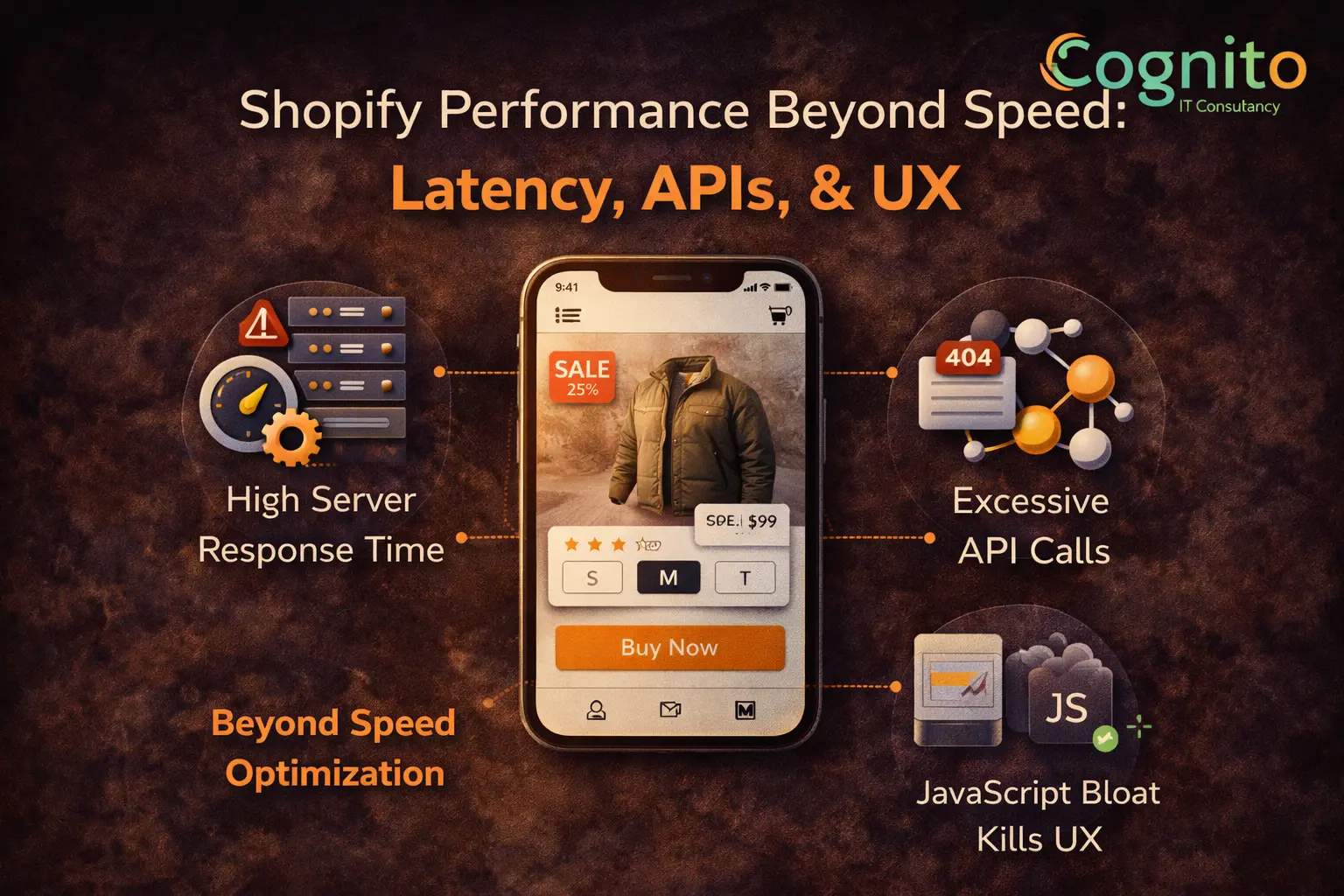
Shopify Performance Beyond Speed: Latency, APIs, UX
Shopify performance beyond speed is where most scaling brands struggle. A store can load quickly and still feel slow, unstable, or frustrating to use.
That happens because performance is not just about page load time. Latency, API behavior, and JavaScript execution shape the real user experience—and directly affect conversions.
This article explains what basic speed audits miss and how advanced performance optimization drives growth.
Why Shopify Performance Beyond Speed Matters
Most brands focus on metrics like:
- PageSpeed score
- Largest Contentful Paint (LCP)
However, Shopify performance beyond speed focuses on what users actually feel:
- Delays after clicking
- Lag during interactions
- Slow checkout responses
When these issues appear, conversions drop even if scores look good.
Understanding Latency in Shopify Performance
Latency is the delay between an action and a response.
In Shopify, latency often comes from:
- Slow server response times
- Multiple third-party API calls
- Unoptimized backend logic
Even small delays add friction. As a result, users hesitate or abandon actions.
Server Response Time and Conversion Impact
Server response time affects:
- Add-to-cart actions
- Variant selection
- Checkout progression
When responses feel instant, users move confidently. When they lag, trust erodes.
Reducing server latency is a core part of Shopify performance beyond speed.
How API Calls Quietly Hurt Shopify UX
Modern Shopify stores rely heavily on APIs.
Common issues include:
- Too many synchronous API calls
- Blocking requests during interactions
- Poor error handling
Because of this, pages may load fast but break during real use.
JavaScript Bloat: The Hidden Performance Killer
JavaScript is essential. Too much of it is dangerous.
JavaScript bloat causes:
- Delayed interactivity
- Scroll and click lag
- Mobile performance drops
As scripts pile up from apps and custom features, UX suffers.
Why JavaScript Matters More Than Load Speed
A page can load visually while remaining unusable.
This happens when:
- Scripts block user interaction
- Event listeners overload the browser
- Mobile devices struggle with execution
Therefore, Shopify performance beyond speed must address runtime behavior.
UX Performance vs Technical Performance
UX performance is about perception.
Key factors include:
- How fast clicks respond
- How smooth animations feel
- How stable layouts remain
Technical speed alone does not guarantee good UX.
The CRO Impact of Performance Beyond Speed
Performance issues affect conversions by:
- Increasing cognitive load
- Breaking user confidence
- Slowing decision-making
When interactions feel seamless, conversions increase naturally.
Why Basic Speed Optimization Is Not Enough
Traditional optimization focuses on:
- Image compression
- Caching
- Minification
While important, these steps do not fix:
- API bottlenecks
- JavaScript execution delays
- Interaction latency
Advanced stores must go deeper.
How Shopify Performance Beyond Speed Is Optimized
A modern performance strategy includes:
- Reducing blocking API calls
- Auditing JavaScript execution
- Improving server response logic
- Optimizing mobile interactions
This approach aligns performance with real user behavior.
Performance, UX, and Engineering Alignment
Performance optimization requires engineering involvement.
Engineers help:
- Refactor inefficient logic
- Optimize data flow
- Remove unnecessary scripts
Without engineering, performance improvements plateau.
When to Audit Shopify Performance Beyond Speed
You should audit if:
- UX feels slow despite good scores
- Mobile conversions lag behind desktop
- Checkout feels inconsistent
- CRO tests underperform
These are signals of deeper performance issues.
FAQs: Shopify Performance Beyond Speed
What is Shopify performance beyond speed?
It focuses on latency, APIs, JavaScript, and UX—not just page load time.
Why does my Shopify store feel slow but score well?
Because interaction latency and script execution are not reflected in basic scores.
Do APIs affect conversion rates?
Yes. Slow or blocking APIs reduce responsiveness and trust.
Is JavaScript really a problem on Shopify?
Yes. Excessive JavaScript slows interaction, especially on mobile.
Does performance optimization improve CRO?
Absolutely. Faster, smoother experiences convert better.
Conclusion
Shopify performance beyond speed is where real optimization begins. Latency, APIs, and JavaScript shape how users experience your store—not just how fast it loads.
Brands that optimize these layers see smoother UX, higher conversions, and more predictable growth.
If performance feels “off” despite good scores, it is time to look deeper.
→ Get a Personalized Recommendation from Cognito.
📩 Get your free audit here: https://cognitoitconsultancy.com/
📧 Book a Strategy Call: sandy@cognitoitconsultancy.com
👉 Meet Now: https://cal.com/cognitoitconsultancy/30min
🔗 Shopify Experts: Click Here
Follow Us for More Insights on D2C and Digital Transformation
Stay ahead of the curve in e-commerce, digital strategy, and IT consulting by connecting with us on our social platforms:


